

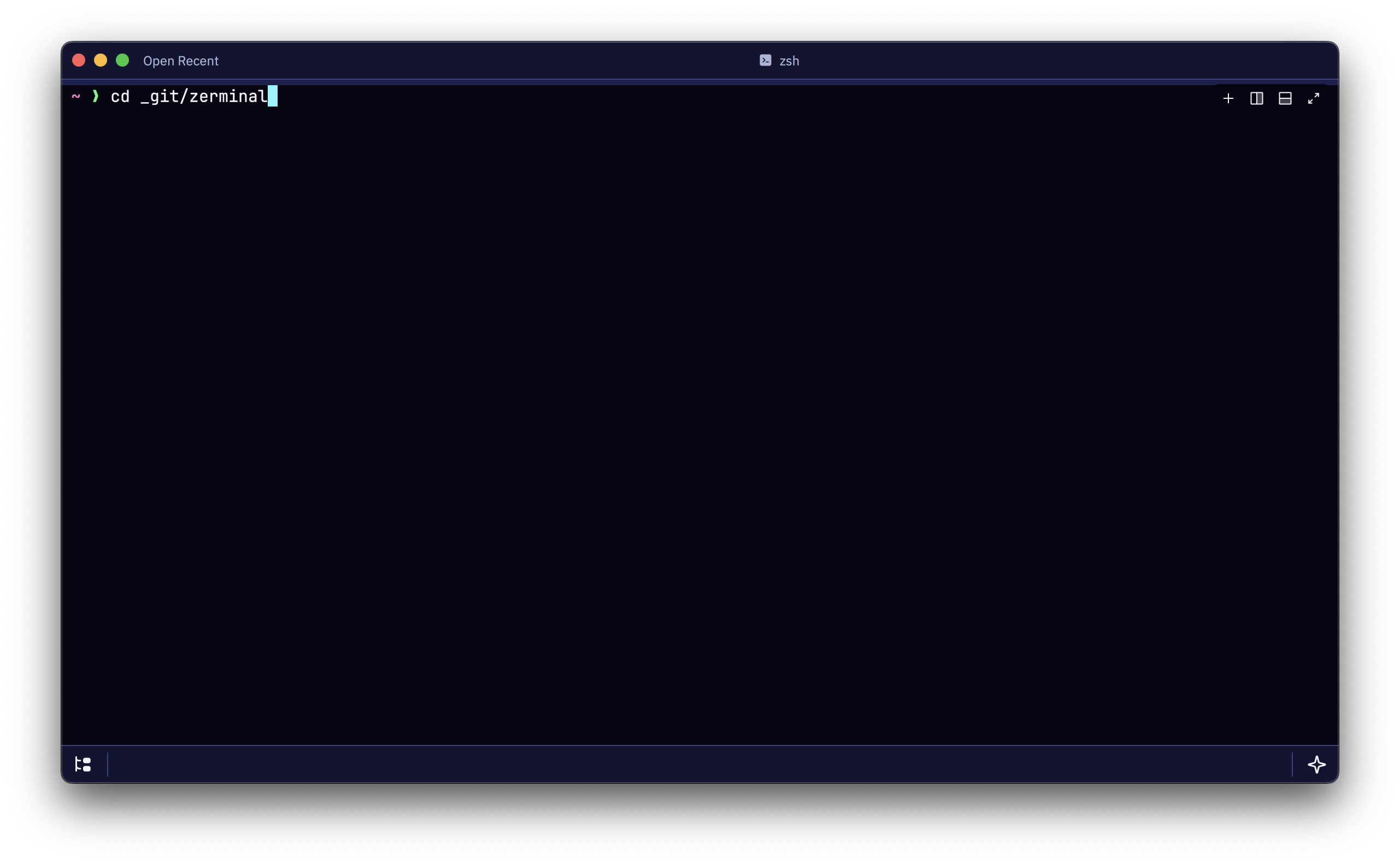
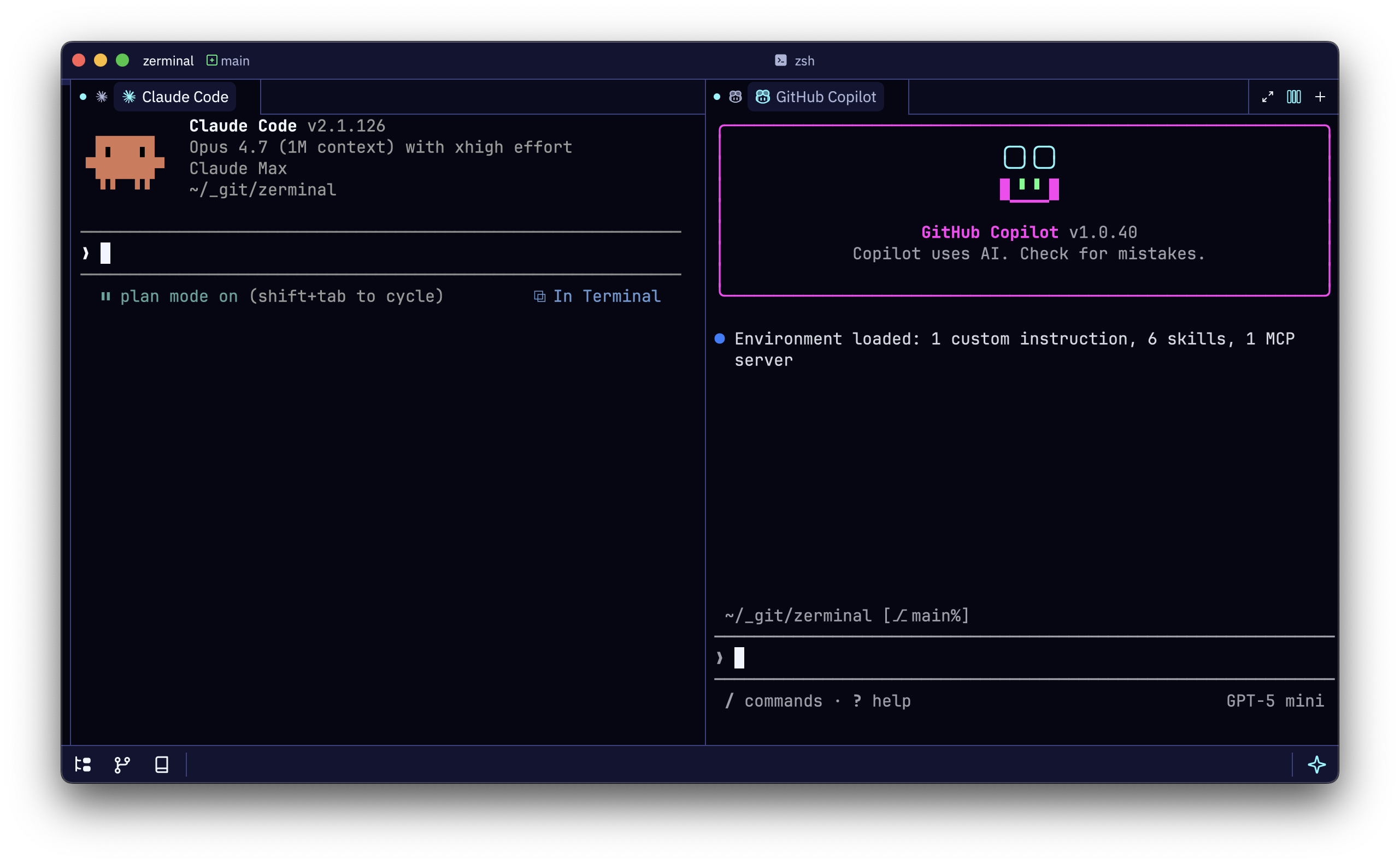
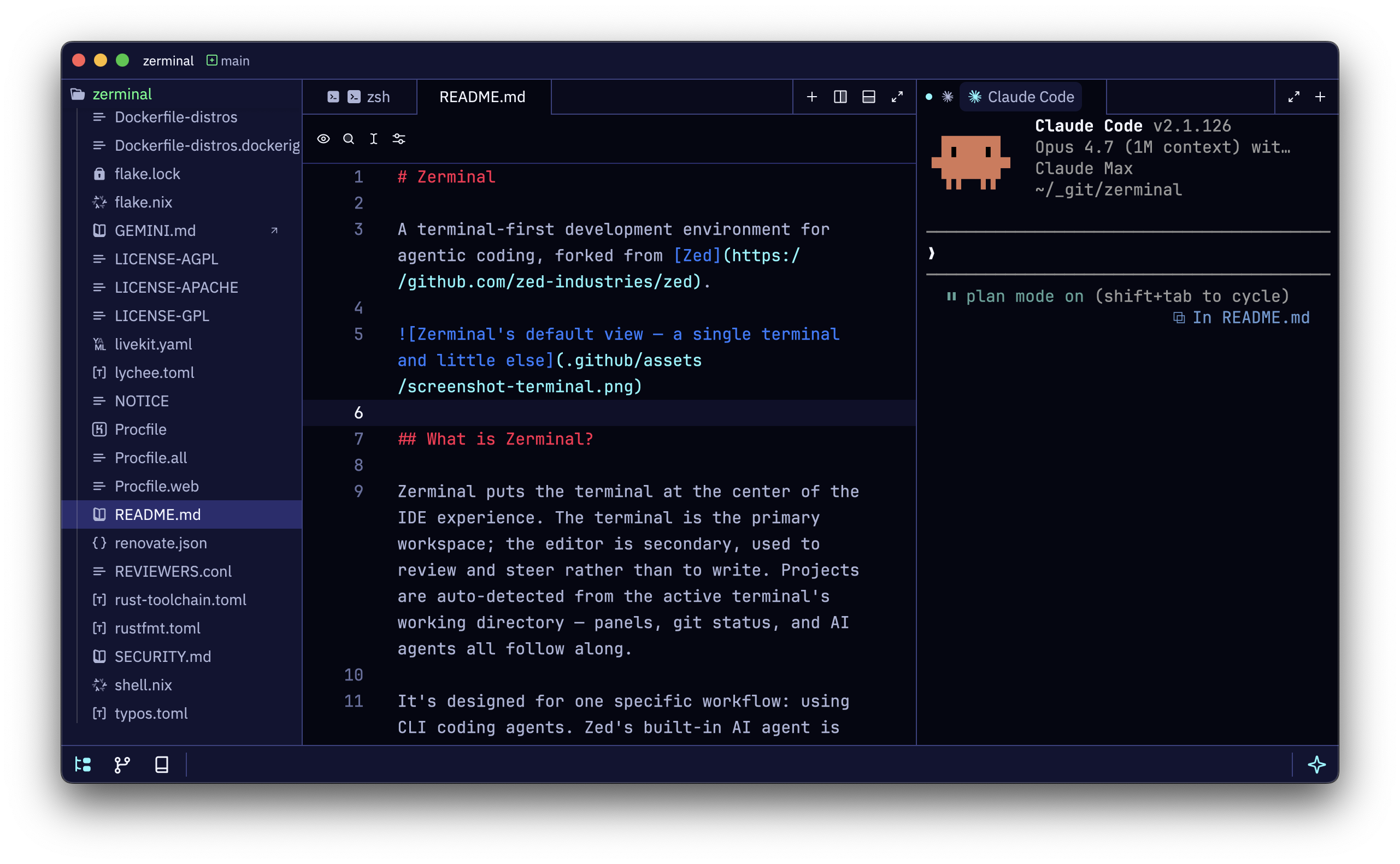
A terminal-first workspace that expands with your work.

Zerminal starts as a fast native terminal, then expands into agents, context, files, git, and the editor surface your project needs.

Terminal workspace screenshotAgents workspace screenshotContext workspace screenshot
Terminal

Starts as a fast native terminal.

Install

The fastest path for your platform, with the command ready to copy.

macOS

Download for macOS

Prefer the terminal? Homebrew is one copy away.

Download for macOS
Homebrew
brew install --cask elleryfamilia/zerminal/zerminal

Bring your own agent

Use the CLI agents you already trust. No editor account, no model lock-in.

Multiple agents side by side

Run Claude Code, Codex, and Aider in parallel when one thread is not enough.

Context where agents need it

Keep AGENTS.md, CLAUDE.md, notes, and project context visible beside the terminal.

story

Why Zerminal exists.

I've been experimenting with terminal-first development environments for a while.

Before Zerminal, I built Brosh, an Electron app around the same idea. I liked using it, but the weight and a few UI details kept bothering me. Zed had the speed, polish, and native feel I wanted, so I started bringing the parts I loved about Brosh into a Zed fork.

Along the way, I replaced Zed's built-in AI agent approach with one that detects coding agents and runs them in their native terminal UI. Claude Code, Codex, Aider, and tools like them stay themselves; Zerminal gives them the workspace around the terminal.

Zerminal is the result: a fast, pleasant workspace where the terminal is the center, with an editor, context pane, file browser, and git UI close by when you need them.

I use it as a simple terminal, a coding-agent workspace, and sometimes something closer to a full IDE.

Less IDE around more terminal.

Zerminal is opinionated software for one workflow: steering coding agents from a terminal-native workspace. It is a fork, not a platform.